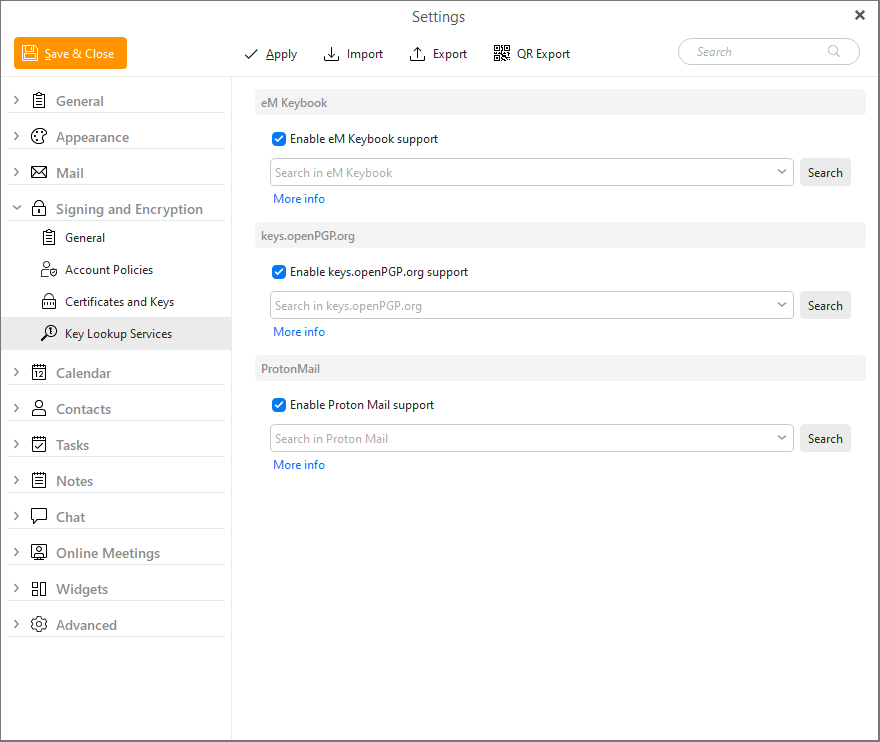
You can enable or disable specific PGP key lookup services in this section.
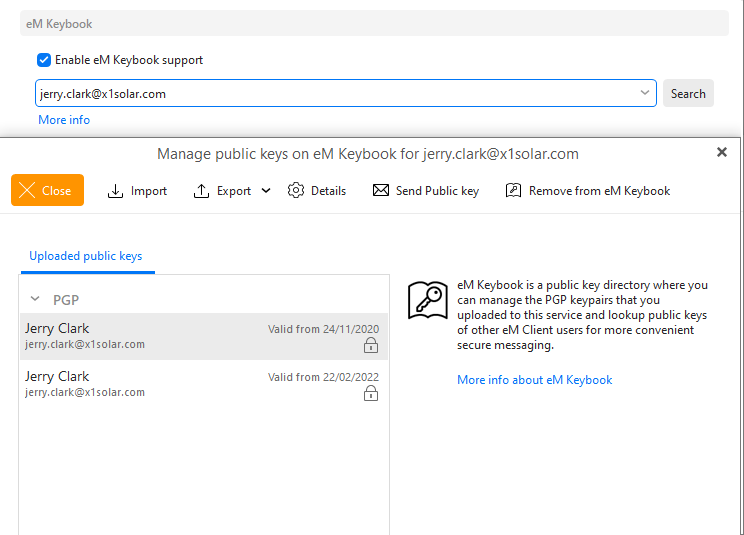
Enable eM Keybook support: option that enables/disables eM Keybook support service
Search in eM Keybook: Search for specific keys by email address
In addition to the What is eM Keybook?, we have added two other services for finding public PGP keys of your contacts - ProtonMail and keys.openPGP.org.
eM Client allows you to look up public keys stored at those keyservers. In case of the keys.OpenPGP.org you are also able to upload your own PGP public keys or public keys created directly in eM Client.
You can manually search at the specific server here in Key Lookup Services settings or keep them enabled so when you do try to send an encrypted email to a new contact the app can automatically search through the enabled services.
To find out how to upload your keys to eM Keybook or OpenPGP.org, go to Certificates and Keys
ProtonMail works similar to OpenPGP.org, but you are not allowed to upload to or remove keys from the database. It serves the users only as a database of ProtonMail public keys for storage and lookup.
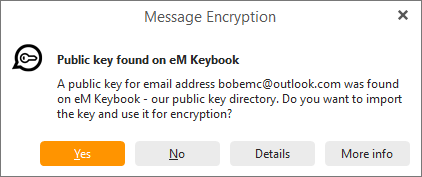
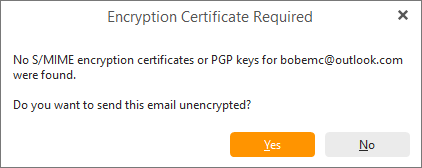
We let users upload public keys to eM Keybook and then when another user wants to send encrypted email to that person, he does not have to ask for a public key. Instead eM Client will search for their public key in the eM Keybook and offer to download it for you automatically. When this option is disabled, eM Client won’t ask you if you want to import public keys available in our eM Keybook.
Behavior when Enable eM Keybook support is checked:
Behavior when Enable eM Keybook support is NOT checked:
Here you can search for public PGP keys which have been uploaded by our users. Just search for their email address and if they have a public key available, you can then choose one of these options
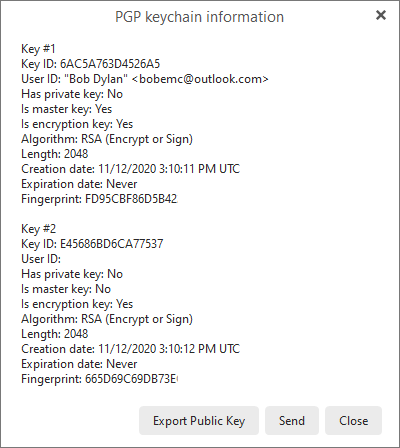
Details of a PGP public key: